
What Are H1, H2, and H3 Headings and Why Do They Matter for SEO?
If you have ever built a webpage or written a blog post, you have probably noticed options for H1, H2, H3, and even H4, H5, and H6 headings.
And if you are like many direct sellers and small business owners, you may have wondered if they actually matter for SEO or if they are just a design choice.
The short answer is this:
Headings help search engines understand your content, and they help your readers feel less overwhelmed.
Let’s break this down in a simple, non-technical way.
What Are Headings, Really?
Headings create structure.
They tell:
- Google what your page is about
- Your reader how information is organized
Think of your webpage like a book:
- The title of the book is your H1
- The chapters are your H2s
- The sections inside each chapter are your H3s
Without headings, everything blends together, and both Google and humans struggle to make sense of the page.
What Is an H1 Heading?
Your H1 is the most important heading on the page.
It tells Google, “This page is about this topic.”
Best practices for H1 headings:
- Use only one H1 per page
- Make it clear and descriptive
- Include your main keyword naturally
- Place it near the top of the page
A strong H1 helps search engines quickly understand whether your page matches what someone is searching for.
What Is an H2 Heading?
H2 headings break your page into main sections.
They help Google understand:
- The key ideas that support your main topic
- How your content is organized
- What subtopics you are covering
For readers, H2s make your page easier to scan. Someone can scroll, read only the headings, and still understand what the page is about.
This is especially helpful for people who feel overwhelmed by long blocks of text.
What Is an H3 Heading?
H3 headings sit under H2s and add clarity.
They are used to:
- Expand on a specific idea
- Answer follow-up questions
- Break complex topics into smaller pieces
H3s are also helpful for SEO because they often match how people phrase questions when they search.
What About H4, H5, and H6 Headings?
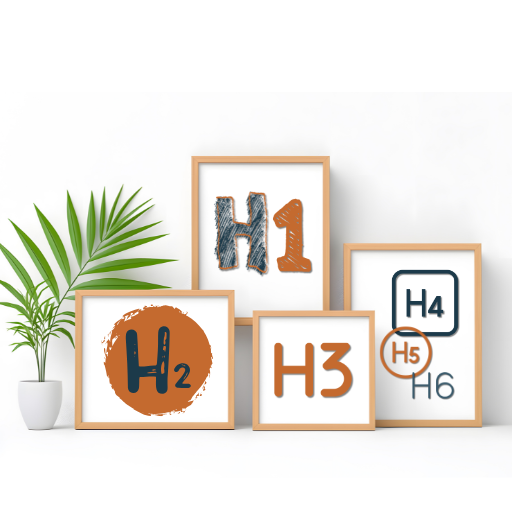
Yes, H4, H5, and H6 headings exist, but most marketing websites rarely need them.
- H4 headings can be useful when you need to further explain a point made in an H3.
- H5 and H6 headings are usually reserved for technical documentation or very long resources.
If you find yourself using H5 or H6 often, it is usually a sign that your content could be simplified.
Do Headings Directly Improve SEO?
Headings do not magically boost rankings on their own.
What they do is:
- Improve clarity
- Improve readability
- Help Google understand context
- Keep visitors on your page longer
All of these support SEO indirectly.
When people can easily understand and navigate your content, it tends to perform better over time.
Headings Are Not Just an SEO Thing
This part matters just as much as search engines.
Your audience:
- Skims
- Scrolls
- Gets overwhelmed easily
Clear headings help them:
- Feel oriented
- Find what they need quickly
- Trust that you know what you are talking about
This is especially important for service-based businesses and educators.
Simple Heading Rules to Remember
Use this checklist when creating any webpage or blog post:
- One H1 per page
- H2s for main sections
- H3s for supporting points
- Use H4 only if something truly needs more explanation
- Avoid H5 and H6 for most marketing content
- Never use headings just for styling
If your page makes sense when you read only the headings, you are doing it right.
Final Thought
Headings are not about gaming Google.
They are about:
- Clear communication
- Calm structure
- Helping both people and search engines understand your message
Remember when your content feels easier to read, it usually performs better too.
Leave a Reply